A PostgreSQL database project kept as SQL files and Liquibase changesets is code, but it rarely gets the tooling that application code does. In C# you click a method name and land on its definition, ask "who uses this" and get a list, and rename across the project with one command. In SQL you usually get text search. PG Studio is my open source project that tries to change that: ambit-pg-studio on GitHub, MIT licence, current version 3.1.0, for Linux as a .deb package.
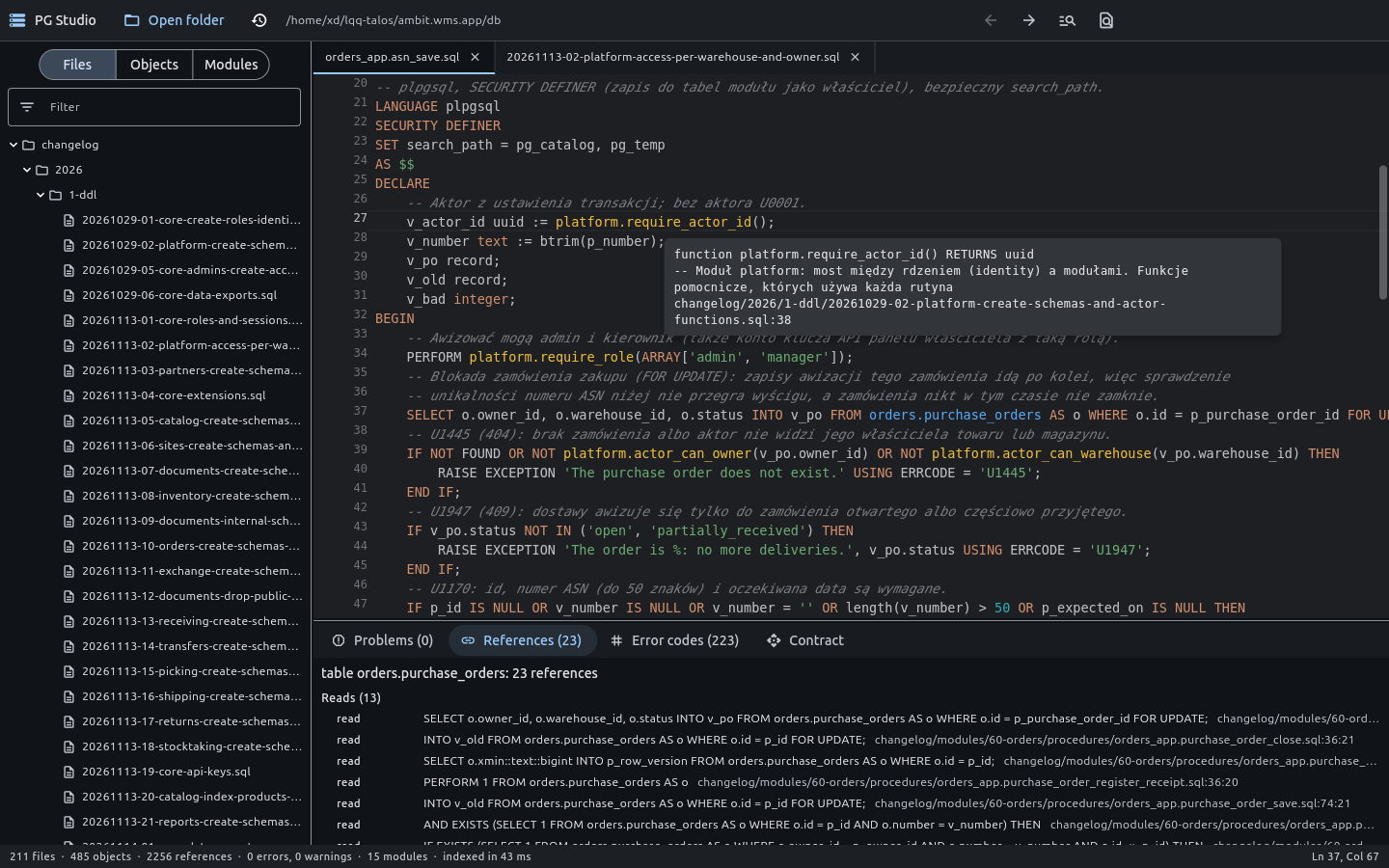
PostgreSQL's own parser, no server
The editor does not connect to a database and never will: in the project's goals a database connection is on the "never" list, together with Windows, macOS, the web and SQL Server. It reads SQL with libpg_query 18.1, the parser of PostgreSQL itself, bound through dart:ffi and built from a git submodule. So the syntax you see in the editor is the syntax PostgreSQL 18 understands, and you need no running server, no psql and nothing to connect to.
The application is written in Flutter (3.47) and Dart (3.13), and the whole analysis lives in pure Dart in the pg_core package. The UI parses nothing itself: it asks the same index that the command line and the MCP server use.
A two-phase index
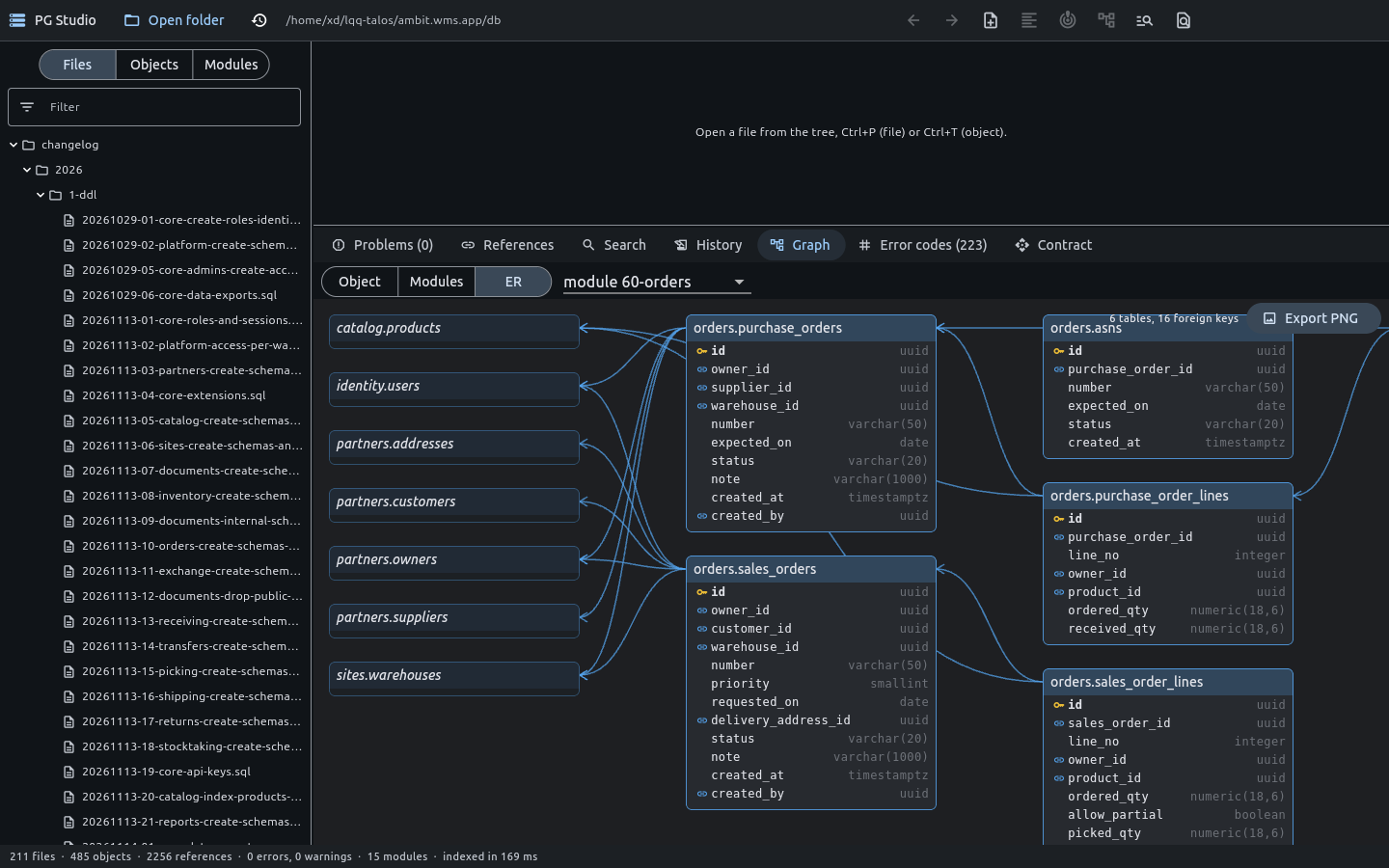
The analysis runs in two phases: every file on its own, in parallel isolates, and then one linking pass over the whole project. The README gives an example: a warehouse database of 211 files (485 objects, 2256 references) indexes in about 50-170 ms, and 902 files of another project in 60 ms, or 18 ms with the phase 1 cache warm (compiled CLI, median of 10 runs). These are my measurements on my own projects, not a promise for every folder, but they show the order of magnitude: the index refreshes while you type, not after you press a button.
It knows what a reference does
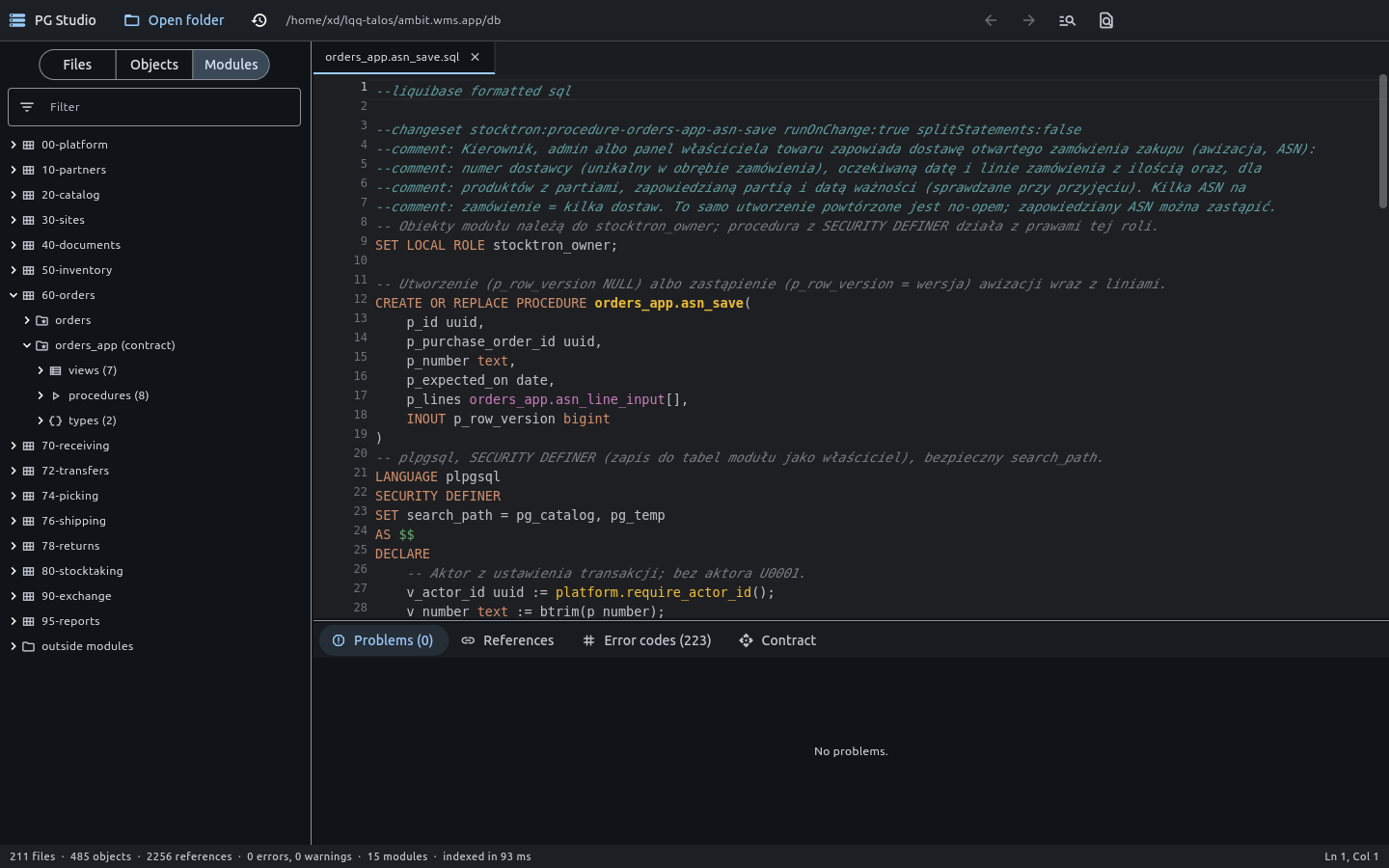
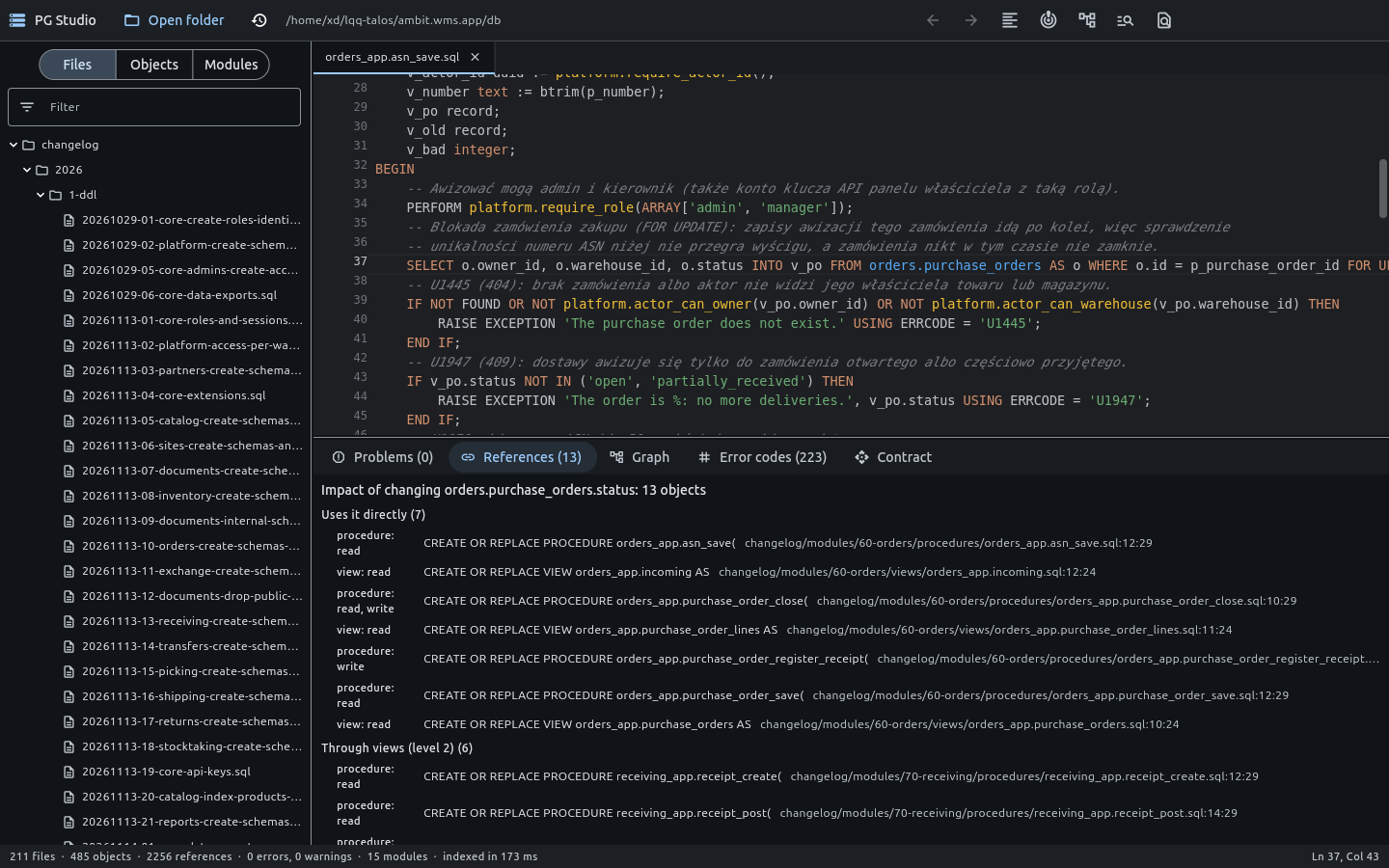
A use of a table is a read, a write, a foreign key, an index or a trigger. A call carries its argument count, so overloads resolve. Columns are found by alias, so the question "what breaks if I change orders.purchase_orders.status" returns procedures and views, also those touched indirectly through a view. Names in the constant text of dynamic SQL (EXECUTE format(...)) count too and are marked as such.
Rename with a preview
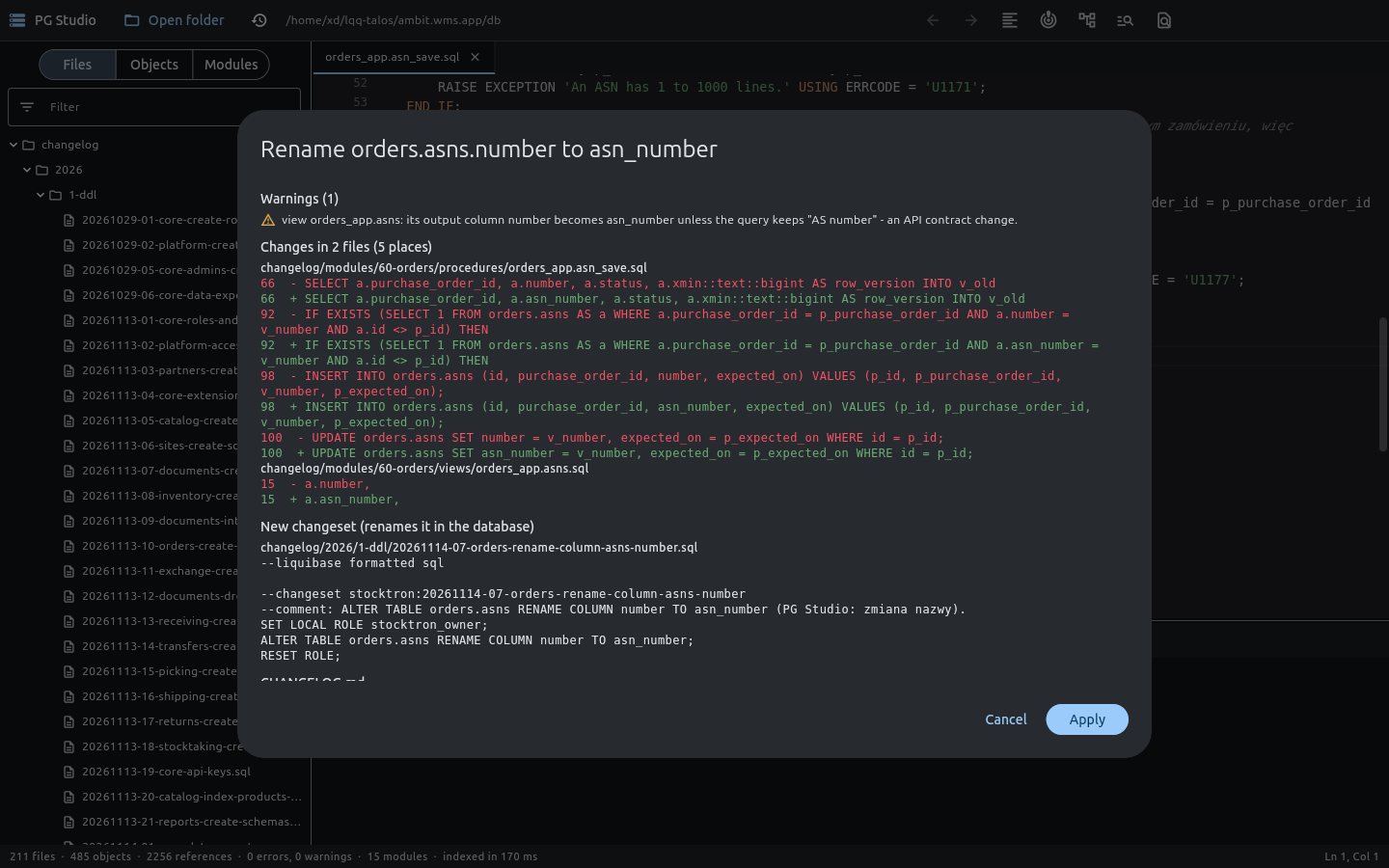
You see the rename of an object or a column first as a diff: every place, warnings about API contract changes, and at the end a generated changeset with a dated ALTER ... RENAME and a line in CHANGELOG.md. Nothing is written until you apply it.
Formatting is just as careful. The formatter changes whitespace only and checks that the token stream is the same before and after. It does not touch changesets that are already deployed (no runOnChange, present in main) at all, because Liquibase would reject the new checksum.
Conventions as problems in the editor
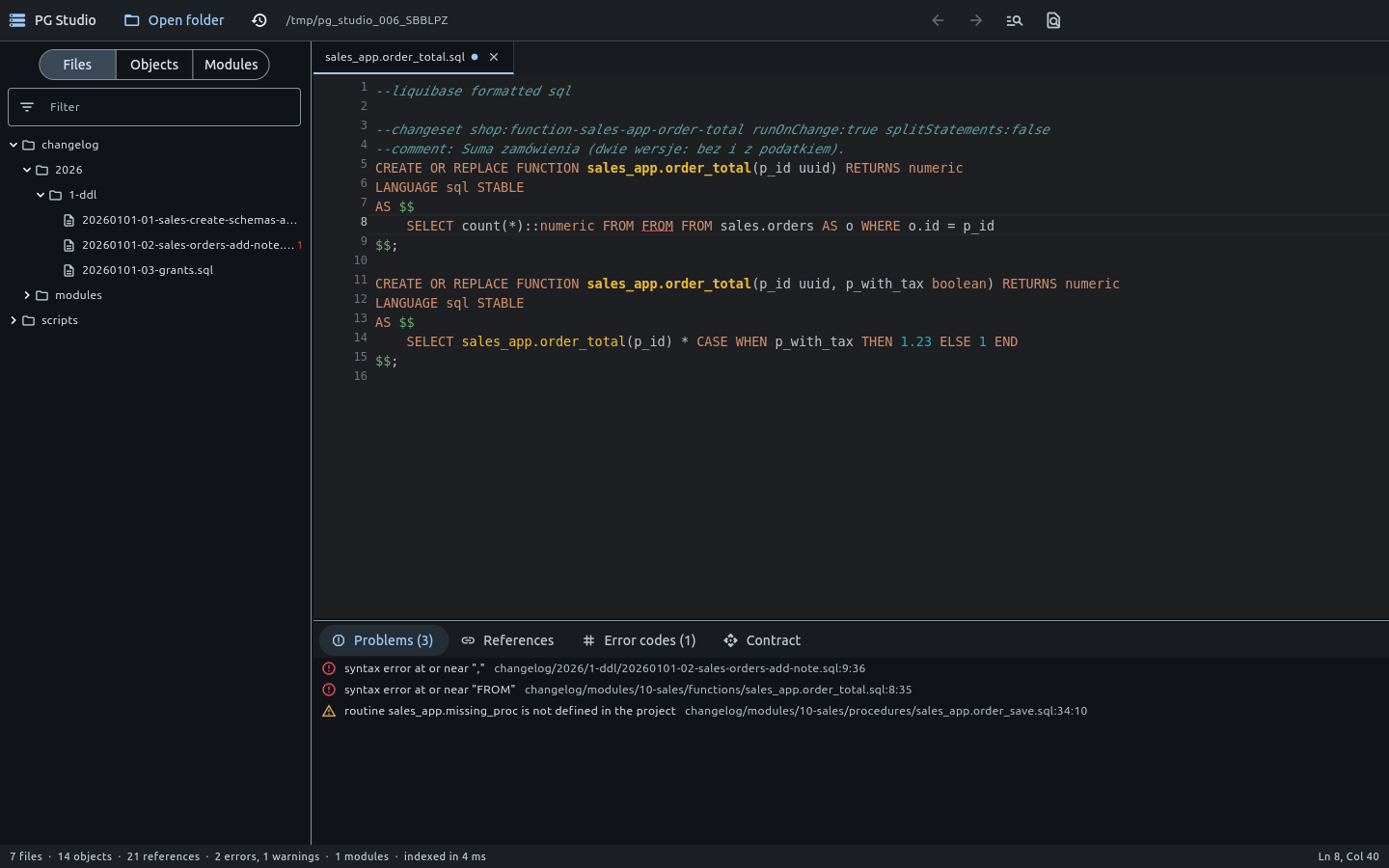
The rules of the stack I work in are ordinary problems in the editor: module boundaries, changeset ids, owner roles and ERRCODE U1xxx codes. They are checked by a faithful port of the shell script check-module-changesets.sh: a folder with every rule broken gives the same 41 messages as the script. Syntax errors appear while you type, with file:line, and an error in one changeset does not spoil the analysis of the rest of the file.
Next to an agent
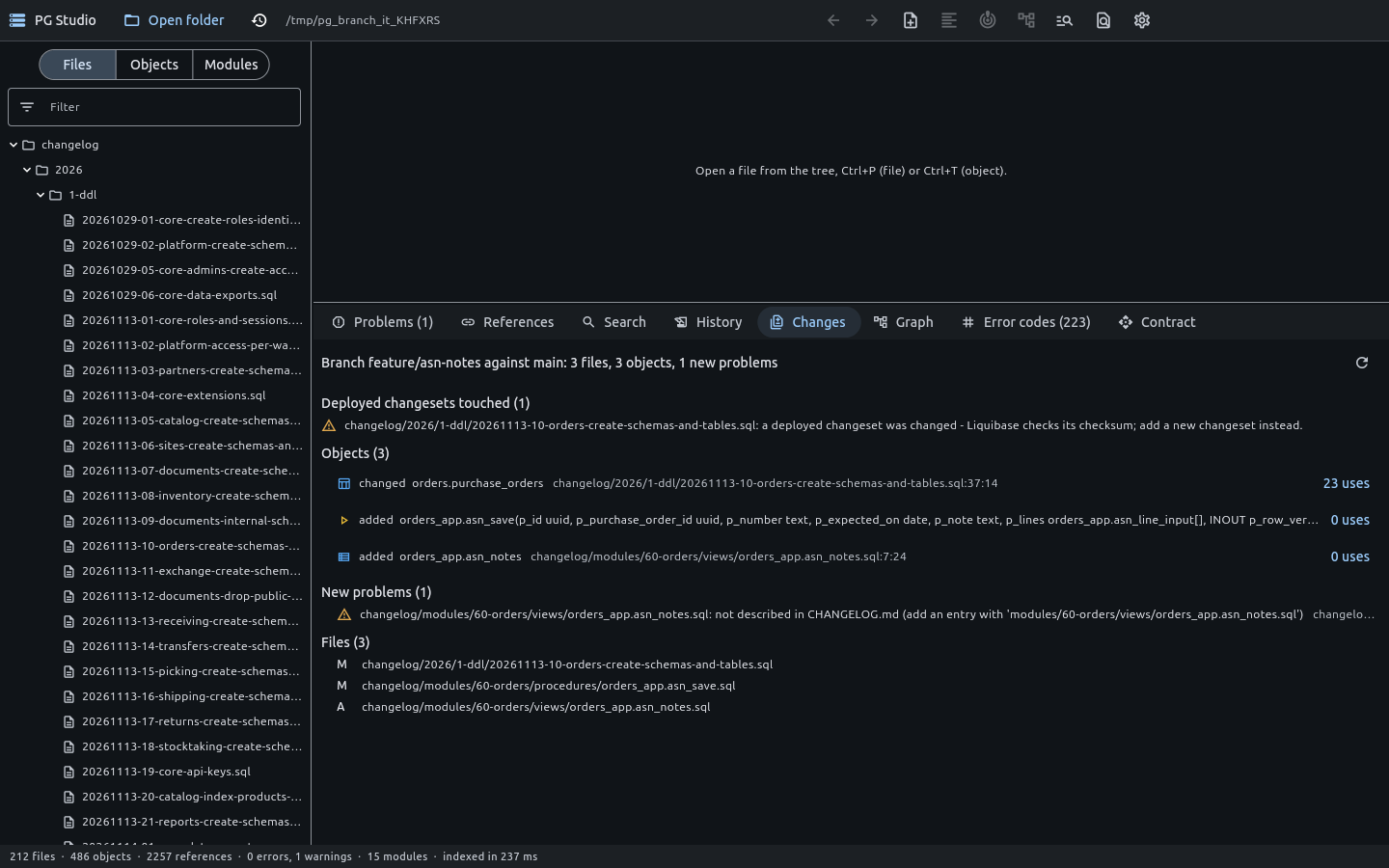
The folder is watched. Files that an agent or git checkout writes reload in clean tabs, and a tab with unsaved edits asks instead of being overwritten. The Changes panel shows what the current branch changed against main: objects, new problems and edited changesets that were already deployed.
The same index is available from the command line and as an MCP server for Claude Code:
pg-studio check db/                      # problems as file:line:column, exit code 1 on errors
pg-studio refs db/ orders.purchase_orders --kind write
pg-studio format db/ --check             # files the formatter would change
claude mcp add pg-studio -- pg-studio-cli mcp /path/to/app/db
The MCP server notices files the agent has written before each answer.
Everything is findable
One command registry feeds the keyboard shortcuts, the right-click menus, the help (F1) and the command palette (Ctrl+Shift+P). A test checks that every shortcut in the help works and every working shortcut is in the help. Next to the code there is a real terminal with your shell in the project folder, and paths like file.sql:12:5 in the output open that place in the file.
Installation and limits
curl -LO https://github.com/ambit-project/ambit-pg-studio/releases/download/v3.1.0/pg-studio_3.1.0_amd64.deb
sudo apt install ./pg-studio_3.1.0_amd64.deb
pg-studio ~/projects/my-app/db
Honestly about the limits: Linux only (a package for Debian 13 and Ubuntu 26.04), PostgreSQL only, no database connection, so the editor will not run a query or Liquibase for you (the terminal is your shell, and you decide what to type in it). The project is young and has one platform precisely because one platform means one native build of the parser. If you work on a folder of SQL and Liquibase and miss what an IDE gives you for code, try it and tell me in the repository what is missing.